-2.png?width=200&height=100&name=goEBT%20Transparent%20Background%20(800x400%20png)-2.png)
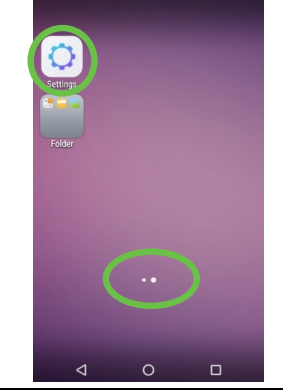 |
Navigate to the SETTINGS app, which is represented by a "Cog" icon and may be placed on a different screen or in a folder with other system apps. To access different screens, swipe left or right on the two horizontal dots near the bottom of the screen. To continue, select the type of ethernet connection to be used. DHCP is most common. |
To continue, select the type of ethernet connection to be used. DHCP is most common.