-2.png?width=200&height=100&name=goEBT%20Transparent%20Background%20(800x400%20png)-2.png)
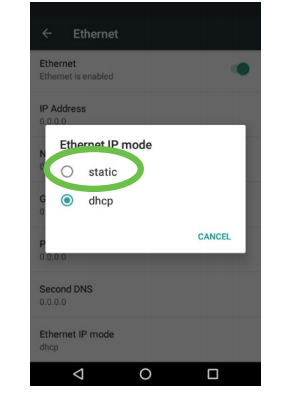 |
Select Static as the Ethernet IP mode. |
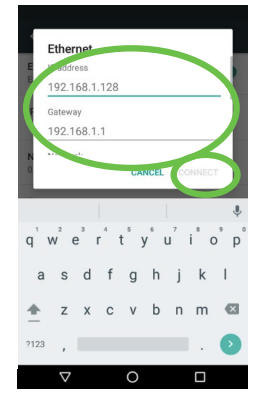 |
Scroll down in the dialogue box and enter the following requested information using the virtual keyboard or physical keypad:
Select Connect after entry of all information. |
A Static IP address is an address permanently assigned to network devices by an ISP, and does not change even if the device reboots. It is most common in environments with large or secure networks.
Contact technical support at 877-418-7957 with questions.