-2.png?width=200&height=100&name=goEBT%20Transparent%20Background%20(800x400%20png)-2.png)
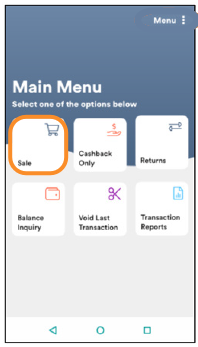 |
To initiate a Sale Transaction, start from the Main Menu and select Sale. |
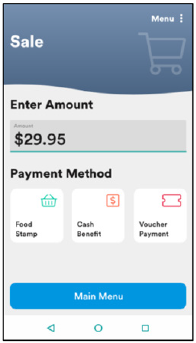 |
Enter the amount of the purchase, then select the Payment Method: Food Stamp, Cash Benefit, or Voucher Payment. |
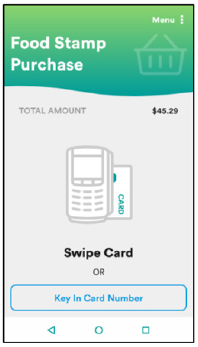 |
Choose an entry method for the card details:
|
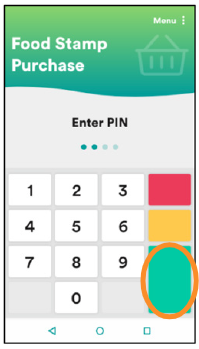 |
Allow the Cardholder to enter their PIN and select ENTER.
|
Retailers may not enter a customer’s PIN for them. Customers must enter their own PIN.
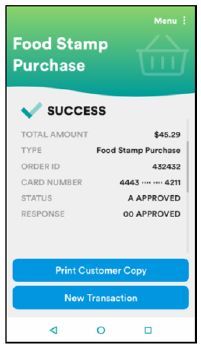 |
Select Print Customer Copy to print the receipt for the Cardholder. |
A copy of the merchant receipt will always print.
The Cardholder balance will be available only on the Cardholder's receipt. (This is a program guideline.)